How to Run Playtests and Turn Player Feedback into Tasks
A playtest is only as good as what changes after it. How to plan one, recruit the right players, collect feedback you can act on, and turn it into tasks your team will actually ship.
· 7 min read
- Playtesting
- Community
- Production
Every developer has run a playtest that produced a long document of comments and zero changes to the game. The session itself went fine. Players played, they talked, someone took notes. Then the notes sat in a channel until the next build made them irrelevant.
A playtest is only as useful as what changes after it. This guide covers the whole loop: deciding what to learn, finding the right players, protecting your build, running the session, and turning what players say into tasks your team will actually ship.
1. Start with one question
The most common mistake is running a playtest "to get feedback." Players will give you feedback on everything, and you will learn nothing in particular.
Pick one or two questions per playtest, and write them down before you send a single invite:
- Can new players understand the core loop without help?
- Do players find the secret shrine on the first level?
- Is the boss fight beatable in under six attempts?
- Where do players stop playing, and why?
The question decides everything that follows: who you invite, what build you send, what you watch for and what you ask afterwards. "70% of players beat the golem within six attempts" is a question a playtest can answer. "Is the game good?" is not.
2. Choose the right players
Friends and family are great for catching crashes. They are bad at telling you whether the game is fun, because they want you to succeed and they already know what you meant.
For most questions you want players who match your audience and have never seen the game:
- For usability and onboarding: five to ten new players are usually enough to find the biggest problems. Patterns show up fast.
- For balance and difficulty: you need more players, and numbers from the build (attempts, deaths, time per section), not just opinions.
- For a returning cohort: keep a small group of players who test every build. They show you whether the changes worked.
Write down who you need before recruiting: platform, genre experience, hardware (a Steam Deck player sees different problems than a desktop player).
3. Recruit through your community
If you have a Discord server, it is your best recruiting channel. People who joined already care about the game.
A recruiting flow that works:
- Post a clear call. What the playtest is, when it runs, which platform, how long it takes and what players get (early access, a credit, a role in the server).
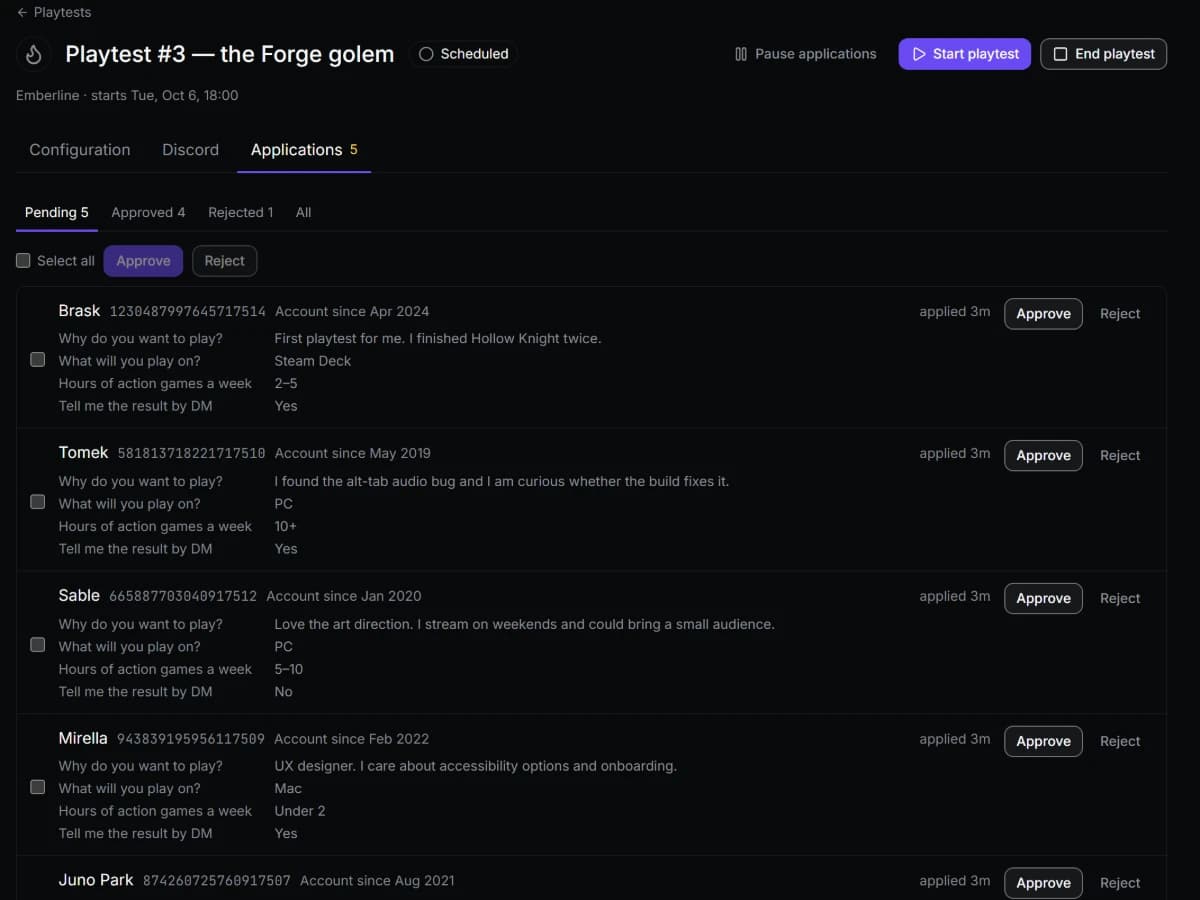
- Collect applications with a short form. Platform, hours played in similar games, availability, and one open question. Keep it to five fields.
- Select on purpose. Pick players that match the question, not just the first fifty who applied. Mix veterans and newcomers when the question needs both.
- Tell everyone the result. The selected players get the details. Those who were not picked get a polite message and a reason to apply next time.
4. Protect your build
An early build that leaks can cost you a launch moment, a publisher conversation or a marketing beat. A little structure goes a long way:
- Use an agreement. A short playtest agreement (an NDA) states that the build is confidential, that feedback can be used to improve the game, and that access can end at any time. Have it reviewed by a lawyer for your jurisdiction.
- Know who downloads. Give access per person instead of posting one public link. If something leaks, you know where to start.
- Verify when it matters. For age-rated content or high-stakes builds, require identity or age verification before access.
- Limit downloads per person, and reset them when a new build goes out.
None of this needs to be heavy. Players are used to signing a short agreement for early access, and it signals that you take the build seriously.
5. Run the session
How you run the playtest decides how honest the feedback is.
- Do not explain the game. Give players exactly what a real player would get. If you have to explain something, that is your first finding.
- Watch more than you listen. What players do is more reliable than what they say. A player who says the level was "fine" and died eleven times at the chain bridge is telling you two different things.
- Ask them to think aloud if you can watch live or on a recording. "I think I should go left" is gold.
- Record numbers from the build. Time per section, deaths, where players quit. Numbers settle arguments that opinions start.
- Keep the survey short. Five questions answered seriously beat thirty answered in a hurry.
Good survey questions are concrete:
- What were you trying to do when you stopped playing?
- What was the most confusing moment?
- What was the best moment?
- If you could change one thing, what would it be?
- How likely are you to play the full game? (0 to 10)
6. Collect everything in one place
Feedback arrives from everywhere: the survey, Discord messages, a forum thread, a bug report from inside the game, a DM to the lead designer. If it stays where it landed, nobody sees the pattern.
Bring it all into one inbox, and keep three things with every piece of feedback:
- Where it came from, so you can go back and ask a follow-up question.
- Which build it was about.
- The player's own words, unedited. Your summary is an interpretation; keep the original next to it.
7. Triage: from comments to problems
Raw feedback is data, not instructions. "Add a map" is a player's solution. The problem underneath might be "I got lost after the chain bridge," and the fix might be a light, a landmark or a better sightline, not a map.
A simple triage pass, once per playtest:
- Remove duplicates. Ten players saying they got lost after the chain bridge is one problem with ten votes. Keep the count; it is your priority signal.
- Sort by type. Bug, usability, balance, performance, idea. Each type goes to a different person.
- Rate severity and frequency. A crash for one player in ten is worse than a typo for everyone. A confusion that stops 40% of players is worse than a balance note from one expert.
- Separate the signal from the wish list. Ideas are valuable, but they are not this playtest's problems. Park them in their own list.
- Decide. For each problem: fix now, fix later, or will not fix (and why). Not deciding is how feedback documents die.
8. Turn problems into tasks
This is the step most teams skip. A problem becomes real work only when it has an owner, a priority and a place in the plan.
Write each task as the problem, with the evidence:
Players get lost after the chain bridge
7 of 10 playtesters stopped or backtracked after the bridge (Playtest #2). Two asked for a map. Goal: 8 of 10 players reach the forge without backtracking.
Team: Design · Priority: High · Milestone: Playtest #3
That task tells the designer what is wrong, how you know, and how you will know it is fixed, without dictating the solution. Then:
- Link the task to the original feedback, so anyone can read the players' own words.
- Put it on the right team's board, not in a general "feedback" list nobody owns.
- Attach it to the next playtest's milestone, so the next build answers the question.
9. Close the loop with players
Players who see their feedback change the game come back, and they bring friends. After the next build:
- Post a short "what changed since the last playtest" message in your community.
- Credit the players whose reports led to a fix, if they agreed to it.
- Invite part of the same group back, so you can see whether the fix worked.
The next playtest then starts with a better question: did the light after the chain bridge fix the problem?
A playtest checklist
- One or two questions, written down.
- A player profile that matches the question.
- A call in your community and a short application form.
- An agreement, per-person access and, when needed, verification.
- A session plan: no explanations, numbers from the build, five survey questions.
- One inbox for every piece of feedback, with source and build.
- A triage pass that ends in decisions.
- Tasks written as problems with evidence, on the right team's board.
- A "what changed" message to players before the next playtest.
How we do it in LevelGrid
LevelGrid was built around this loop. Its Discord bot brings bugs, suggestions and feedback from your community into one inbox, with the player's own words and where they came from, and you approve a report into an issue on the team you choose. Playtests run from the same place: post the call, collect applications with your own form, pick who plays, and the result goes out by DM to the players who asked for it. Builds go out behind ID verification and a signed agreement, with downloads counted per person.
It is free for teams of up to 5 people, and the community features start on the Indie plan. If your feedback lives in a Discord channel today, try running your next playtest through it and see how many reports turn into fixes.
For the bigger picture of how playtests fit into production, read How to Organize an Indie Game Production Pipeline.