Introducing Publish: News, Wiki and Roadmap for Your Game
Give your game a public site with news, a wiki and a roadmap, written where your team already works. Everything you publish goes to your Discord too.
· 1 min read
- Launch
- Publish
- Community
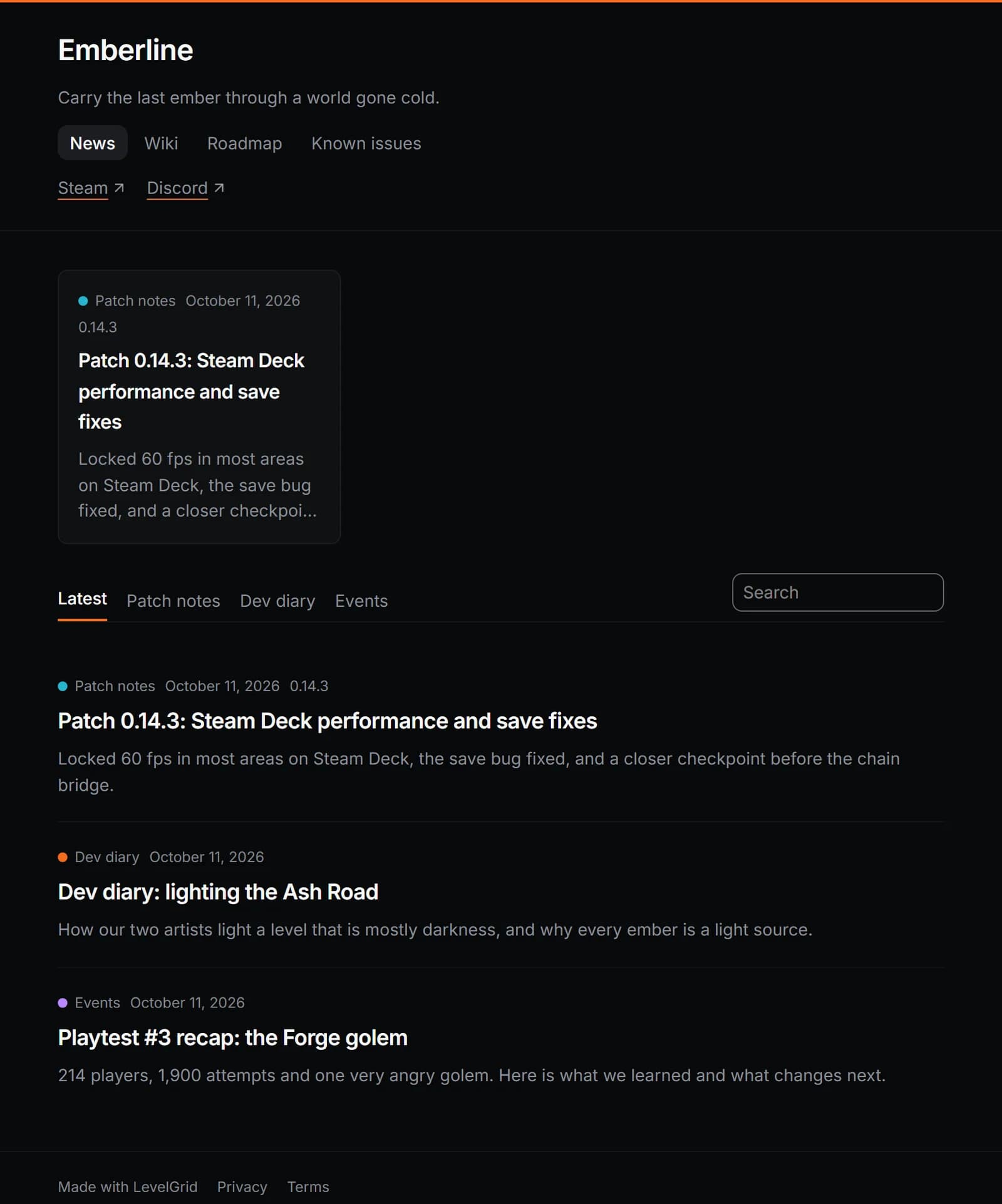
Players want to know what's new and what's coming. Publish turns the work in your studio into a public site for your game, at levelgrid.app/g/your-game, and posts all of it to your Discord.
Three areas, turn on what you need
- News. Posts with images, categories, a featured slot, search and RSS.
- Wiki. Publish any studio document as a wiki page. Internal notes stay inside the studio, and players can propose edits that you approve.
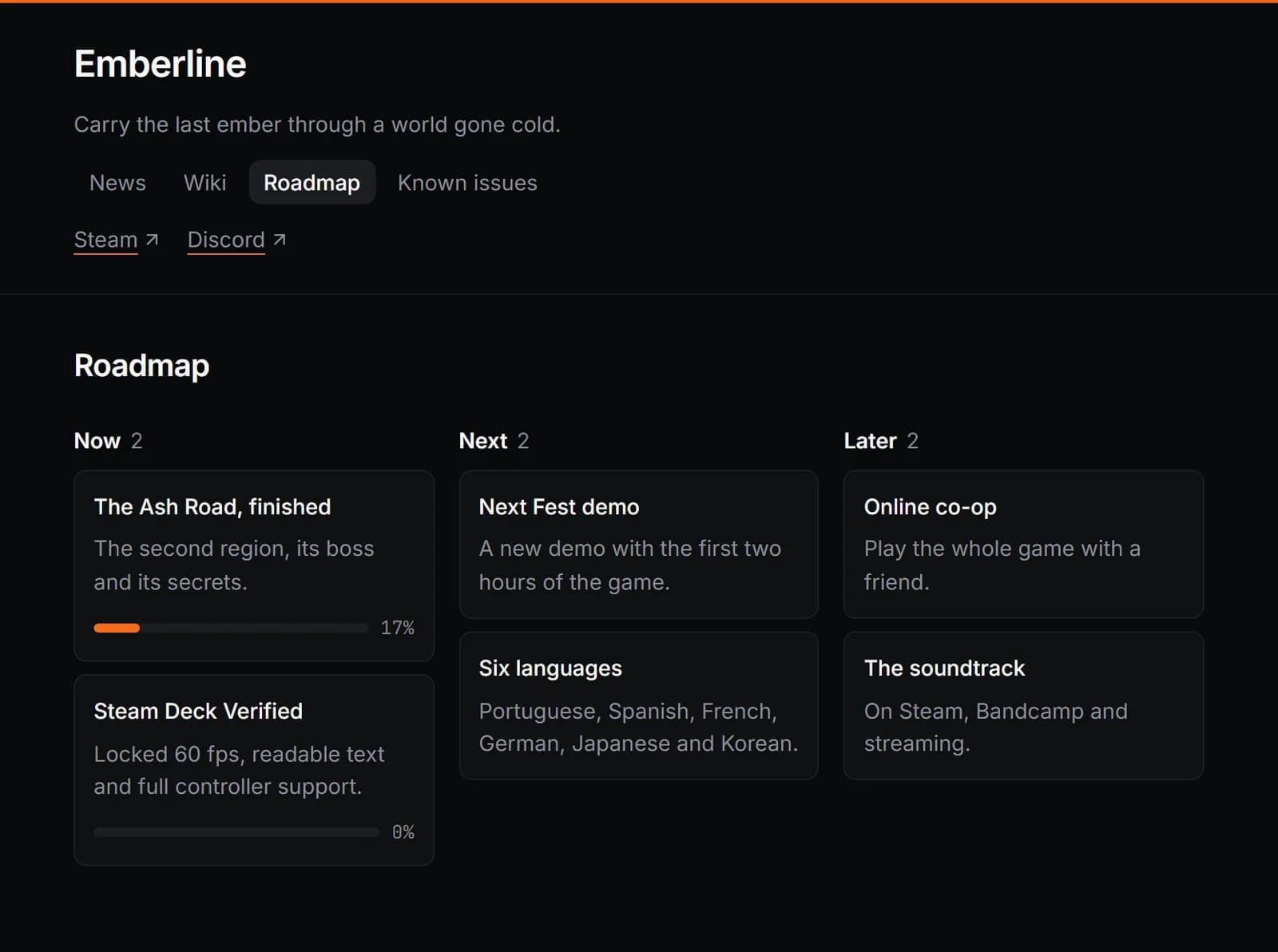
- Roadmap. Pick projects and initiatives, give them player-friendly words, and show them as cards or a board: Now, Next, Later. Add Known issues and mark them fixed in a version.
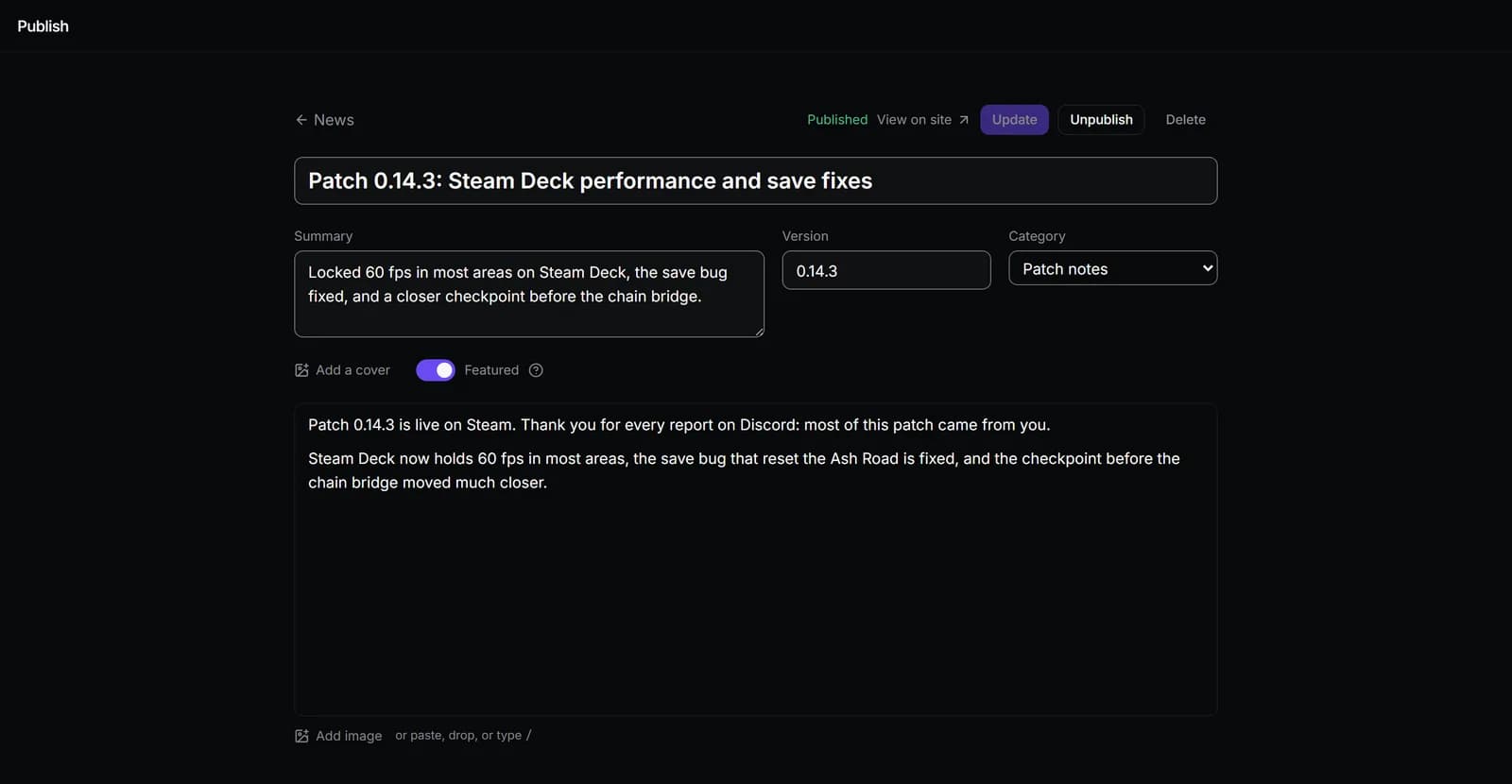
Publish once, post everywhere
Everything you publish goes to the Discord channel you choose. Edit a post and the Discord message updates. The roadmap keeps one live message per list and, if you want, posts an update when something moves to Now or ships.
Get started
- Open Publish in the sidebar and pick a game.
- Choose the site's address and turn it on.
- Write your first post and press Publish.
Publish is on Indie and up. The details are in the Publish docs.