Introducing Community: Your Discord, Inside Your Studio
Feedback, suggestions, bugs and playtests from your game's Discord arrive in one inbox. Approve the good ones and they become issues for the right team.
· 1 min read
- Launch
- Community
- Discord
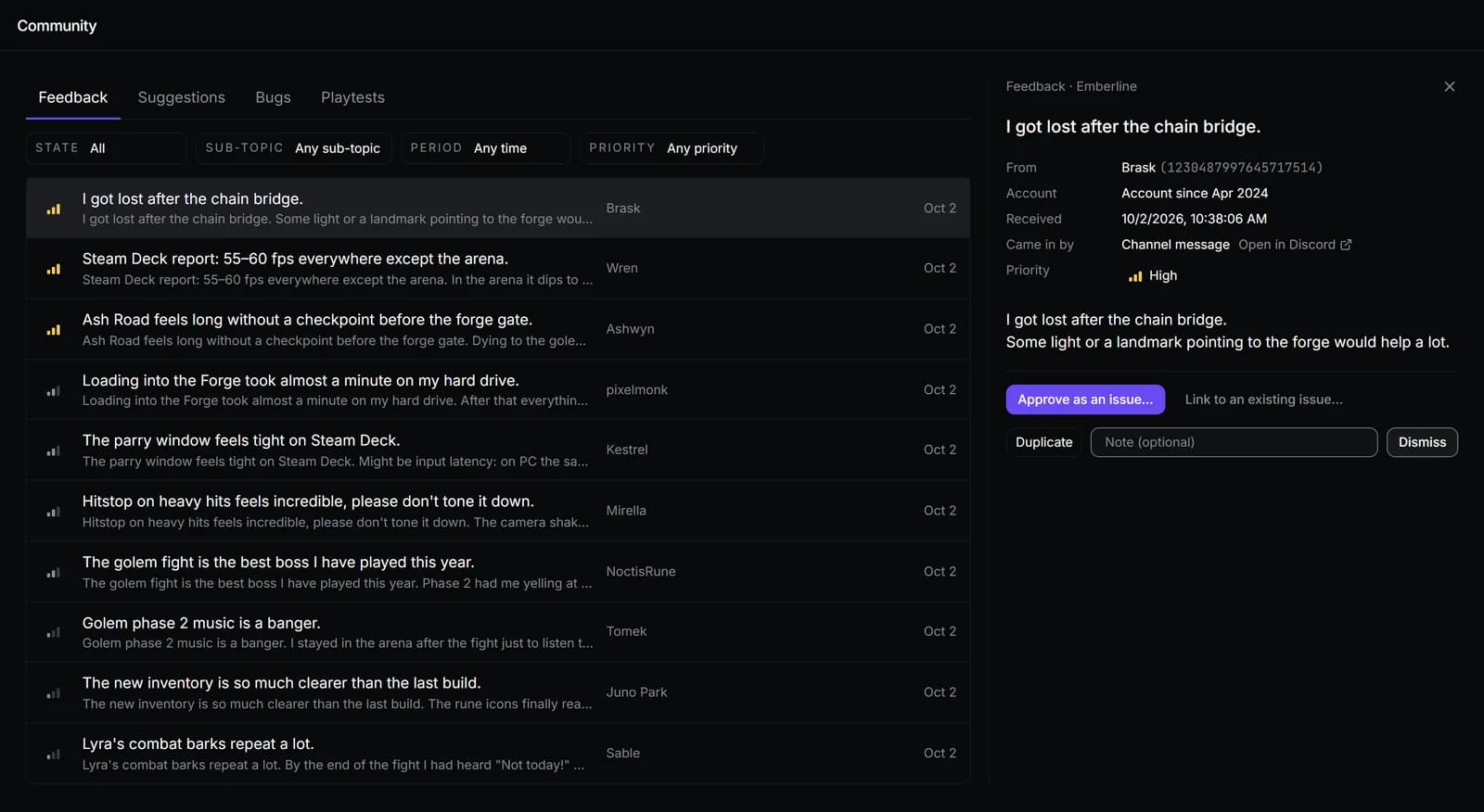
Your players already talk about your game on Discord. Community brings what they say into LevelGrid, sorted and ready to act on, without anyone copying and pasting.
How it works
- Connect your game's Discord server.
- Choose how players send things: a form behind a button, a forum, or a channel.
- Everything lands in Community, sorted into Feedback, Suggestions and Bugs, with screenshots and logs.
- Approve an item and it becomes an issue for the right team. The player's name stays out of it.
Moderators can also right-click any message in Discord and choose Send to LevelGrid.
Playtests, end to end
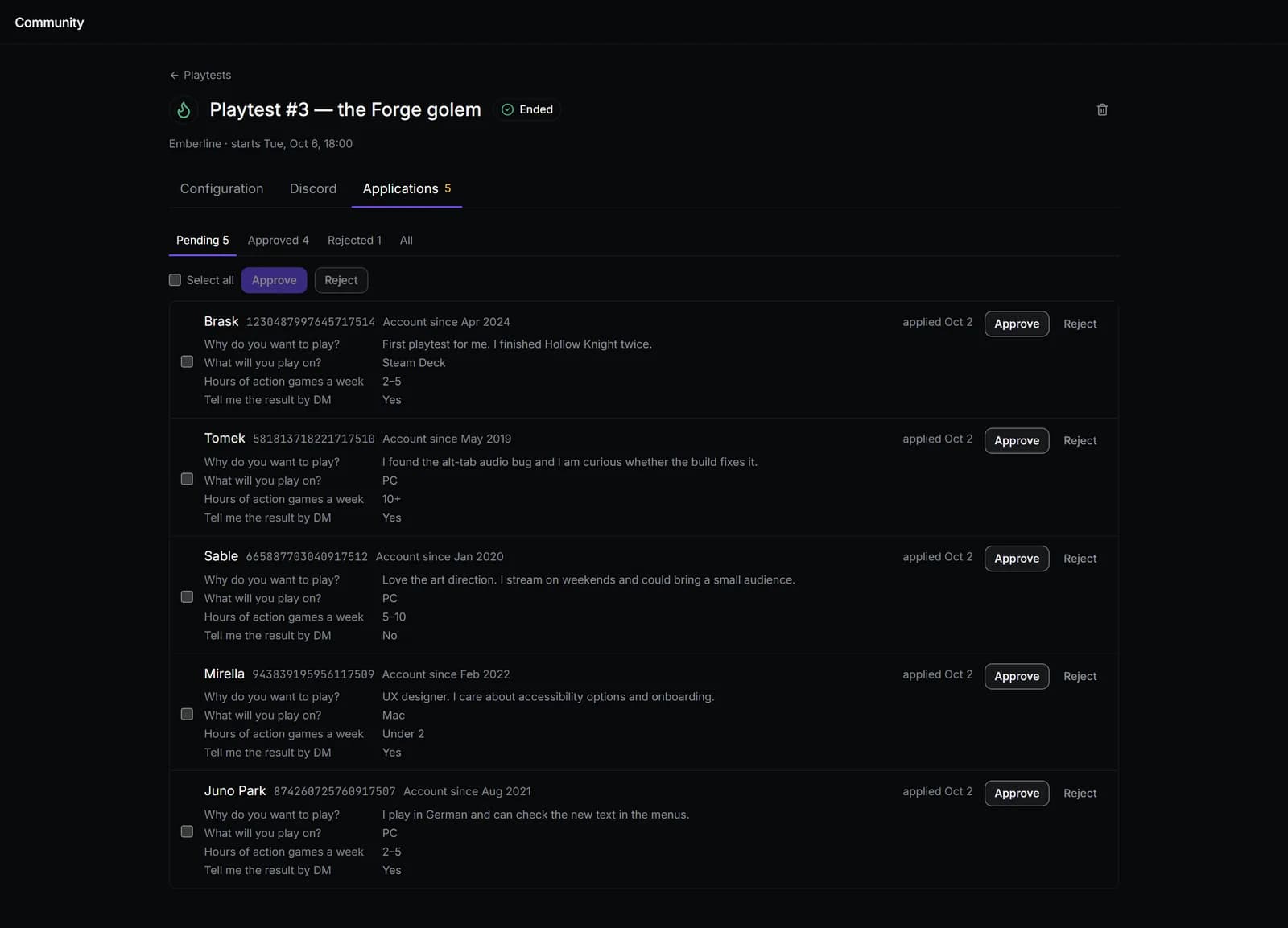
- Post the call with your own embed and an application form.
- Approve players by hand or automatically. Approved players get a role and, if they agreed to it, a DM.
- Schedule reminders and a Discord event, then start and end the playtest from LevelGrid.
Who sees what
Choose which teams see and decide each category: bugs to QA, suggestions to design. Everyone else keeps a clean inbox.
Get started
Community is on Indie and up. Connect your server from the Community docs.